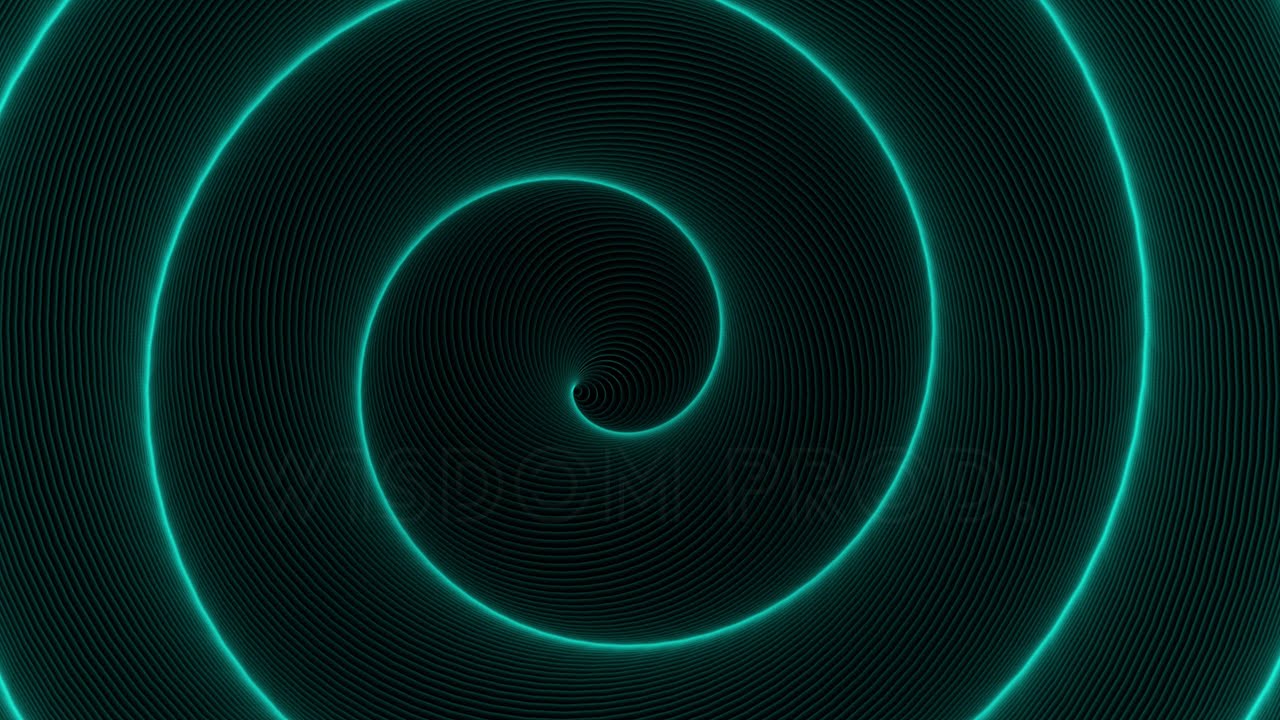
4K Endless Spiral Rotating Glowing Vortex — Seamless Loop Animation
A hypnotic 4K vortex background that loops forever — no cuts, no jumps. Concentric circles rotate and contract into infinite depth, wrapped in soft glowing light effects that feel equally at home behind a sci-fi title sequence, a music visualizer, a meditation video, or a VJ set. Comes with both a ready-to-use MP4 and a fully editable After Effects template so you can dial in color, rotation speed, and glow radius to match any project. Instant download for just $4.
Animation Details
A single 10-second seamless loop built around one relentlessly satisfying visual idea — infinite depth that never ends:
Perfect For
Why This Animation Stands Out
Most looping vortex assets betray themselves — a stutter, a flash, a visible seam. This one doesn't. The rotation speed and glow radius were tuned by hand so the motion feels meditative rather than dizzying, and the concentric contraction creates a true sense of depth without any 3D render overhead. The included After Effects template goes further: change the spiral's hue, reverse rotation direction, tighten the tunnel, or drop your own logo into the centre of the vortex. It's the rare stock animation that's genuinely useful out of the box and still fully yours once you open the project file.
What You Get
Technical Specifications
Resolution |
Length |
Frame rate |
Format |
Archive |
License |
|---|---|---|---|---|---|
| 3840 × 2160 | 00:10 | 29.97 fps | MP4 / H.264 | 476 MB |
For quick use: drag the MP4 directly into any timeline — no plugins required. For customization: open the .AEP file in Adobe After Effects 2019 or newer to edit glow color, rotation speed, spiral tightness, or add your own logo or text on top of the vortex. No third-party plugins required for the After Effects template.

Secure payment · Refund Policy
Frequently Asked Questions
You are purchasing a 4K motion graphics animation featuring an infinite rotating spiral vortex with a seamless loop, along with an editable After Effects project file. This includes both a ready-to-use video background and a customizable template.
This product includes both:
- A pre-rendered video file for immediate use
- An After Effects project file (.AEP) for customization
You can use the animation instantly or modify it to match your project.
After purchase, you will receive:
- A 4K .MP4 video file (H.264)
- An After Effects project file (.AEP), compatible with AE 2019+
- A license file for commercial and personal use
- Instant download access
- Duration: 10 seconds (seamless loop)
- Resolution: 4K (3840 × 2160)
- Frame rate: 29.97 FPS
- Format: .MP4 (H.264 codec)
- Archive size: 476 MB
You can use this animation in:
- Video backgrounds for intros, outros, or titles
- Website hero sections and landing pages
- Presentations and event visuals
- Music visualizers and VJ loops
- Digital art and projection mapping
- Meditation or ambient videos
- YouTube backgrounds and content
- Client projects (commercial use included)
Yes — the license allows:
- Unlimited usage in commercial and personal projects
- Use in client work
- No attribution required
No. You cannot resell, share, or redistribute:
- The video file (.MP4)
- The After Effects project (.AEP)
These must be used as part of a larger project (video, website, app, etc.).
Yes. Using the After Effects template, you can:
- Change colors and glow intensity
- Adjust rotation speed and direction
- Modify spiral size and depth feel
- Add text, logos, or overlays
Basic knowledge of After Effects is recommended.
Yes. The animation is designed as a perfect loop, meaning:
- The end connects smoothly to the beginning
- No visible cuts or jumps
- You can extend it indefinitely in your editor
Yes — lifetime support is included. If you need help using or customizing the files, feel free to contact me anytime.
You will get instant download access immediately after completing your purchase. All files are delivered in a single archive and ready to use.
For quick use: No — the .MP4 file works in all major video editors and platforms (Premiere Pro, Final Cut, DaVinci Resolve, CapCut, etc.).
For customization: Adobe After Effects 2019 or newer is required to open and edit the .AEP template.